Claude Code Usage Limits: Find What’s Eating Your Weekly Quota
Hitting Claude Code’s weekly limit by Wednesday? /usage now shows where the allowance goes. Subagents running on your main model, long sessions and idle loops are the usual suspects, and most fixes are a setting.

in AI Coding & Developer Tools6 min read
If your Claude Code week runs out on Wednesday, it’s tempting to blame the plan. Usually the plan isn’t what changed. Something in the way you work is spending the allowance faster than it feels: subagents running on your most expensive model, a session that has carried a whole day of context, a loop that kept firing while you were at lunch. Claude Code now shows you which of these it is, and most of the fixes are a setting, not a change of habit.
Read the /usage breakdown before changing anything
Paid plans have two limits: a session limit that resets every five hours, and a weekly limit. Both draw from one pool that Claude Code shares with claude.ai and Claude Desktop (opens in a new tab), so a long chat in the browser and a refactor in the terminal compete for the same allowance.
On Pro, Max, Team and Enterprise plans, /usage shows more than the usage bars. Below them is a breakdown of what recent usage went to:
- Attribution: the share used by skills, subagents, plugins and each MCP server, as percentages.
- Behavior flags: any pattern, such as long context or cache misses, that accounts for 10% or more of recent usage.
- Loops: the heaviest
/loopand scheduled tasks, with how often they fired and how many tokens each run used.
Press w to see the last seven days. That’s the view that matches the weekly limit. Two caveats: the figures are approximate, and they come from session history on this machine only, so usage on your laptop or in claude.ai won’t appear. The dollar figure in the Session block at the top is meant for API users and says nothing about your plan allowance.
Note which message stopped you, too. “You’ve hit your weekly limit” applies across every model, so switching with /model won’t get you back to work. A model-specific message, such as “You’ve hit your Opus limit”, is different: moving to another model family does let you continue.
Subagents spend from the same pool, on your model
When Claude Code delegates a search, a test run or a research task to a subagent, the subagent runs its own conversation and makes its own requests. Those requests count toward the same usage limits as your main conversation (opens in a new tab). That’s fine, and it’s often the right trade. Keeping a long test log out of your main context can save more than the subagent costs. The problem is which model they run on.
By default, a subagent runs on the main conversation’s model. That includes the built-in Explore and Plan subagents and the general-purpose one, unless something sets a model for them. So if you work on Opus all day, every codebase search Claude delegates also runs on Opus. That’s a common source of a large subagent share in /usage: many delegated searches, each billed at the top model’s rate.
Most delegated work doesn’t need that model. Finding the files that import a module, or reading a test log for the failing case, is work a smaller model does well. Claude Code picks a subagent’s model in this order: a model passed for that one call, then the model field in the subagent’s definition, then the CLAUDE_CODE_SUBAGENT_MODEL environment variable, then the main conversation’s model.
The targeted fix is to define your own Explore. A project or user subagent with that name replaces the built-in, and its model field is respected. The frontmatter has to start on the file’s first line, so this writes the file from the shell:
mkdir -p .claude/agents
cat > .claude/agents/explore.md <<'EOF'
---
name: Explore
description: Fast, read-only codebase search. Use to find files, symbols and call sites without making changes.
tools: Read, Grep, Glob
model: haiku
effort: low
---
Search the codebase and report what you find: file paths, line numbers and short excerpts. Do not modify anything.
EOF
Replacing Explore also replaces its built-in prompt, so check that searches still come back useful after a day of real work. The blunter option is to set CLAUDE_CODE_SUBAGENT_MODEL to haiku together with CLAUDE_CODE_SUBAGENT_MODEL_FORCE=1, which puts every subagent, teammate and workflow agent on one model. Be careful with that if your subagents write code. A general-purpose subagent making changes on a small model produces the kind of diff you’ll spend the saved quota reviewing before merge.
Long sessions cost more than they feel
Every request sends the whole conversation again. Prompt caching makes the re-read cheaper, but not free, so a one-line question in a session that has been open since morning still pays for everything above it. The single most effective habit is /clear when you switch to unrelated work. It costs nothing. /compact is not the same: it reads the entire conversation to summarise it, which makes it a large request in its own right.
Caching also has a lifetime. On a subscription, within your plan’s usage, the main conversation’s cache lasts an hour. Subagents get five minutes, according to Claude Code’s caching docs (opens in a new tab). After a long break, your first message reprocesses the whole context at the uncached rate. The same happens when you switch models mid-session, because each model has its own cache. Pick the model at the start of a task and keep it there. Once you’re drawing on usage credits, the main conversation’s cache drops to five minutes as well, so a long session that idles costs noticeably more past the limit.
Three things keep spending while you aren’t typing. A /loop or scheduled task sends your full context every time it fires. Agent teams run each teammate as a separate Claude instance, and the cost docs (opens in a new tab) put them at roughly seven times the tokens of a standard session when teammates run in plan mode. Background goal check-ins can also start new turns while the session sits idle. If the Loops rows in /usage show anything you forgot was running, stop it first.
Smaller fixed costs that add up
Some costs ride along on every request:
- CLAUDE.md: it loads into every session. Anthropic suggests keeping it under 200 lines and moving workflow-specific instructions, like how to run a migration, into skills that load only when used.
- MCP servers: their tool names and server instructions sit in context, while CLI tools like
ghadd no tool listing at all. Disable servers you aren’t using in/mcp, and check the attribution rows for any server with an outsized share. - Verbose tool output: a hook that filters test runs down to the failures turns tens of thousands of tokens into hundreds.
None of these is dramatic alone. Together they’re the base cost of every request in every session.
When the limit is really the limit
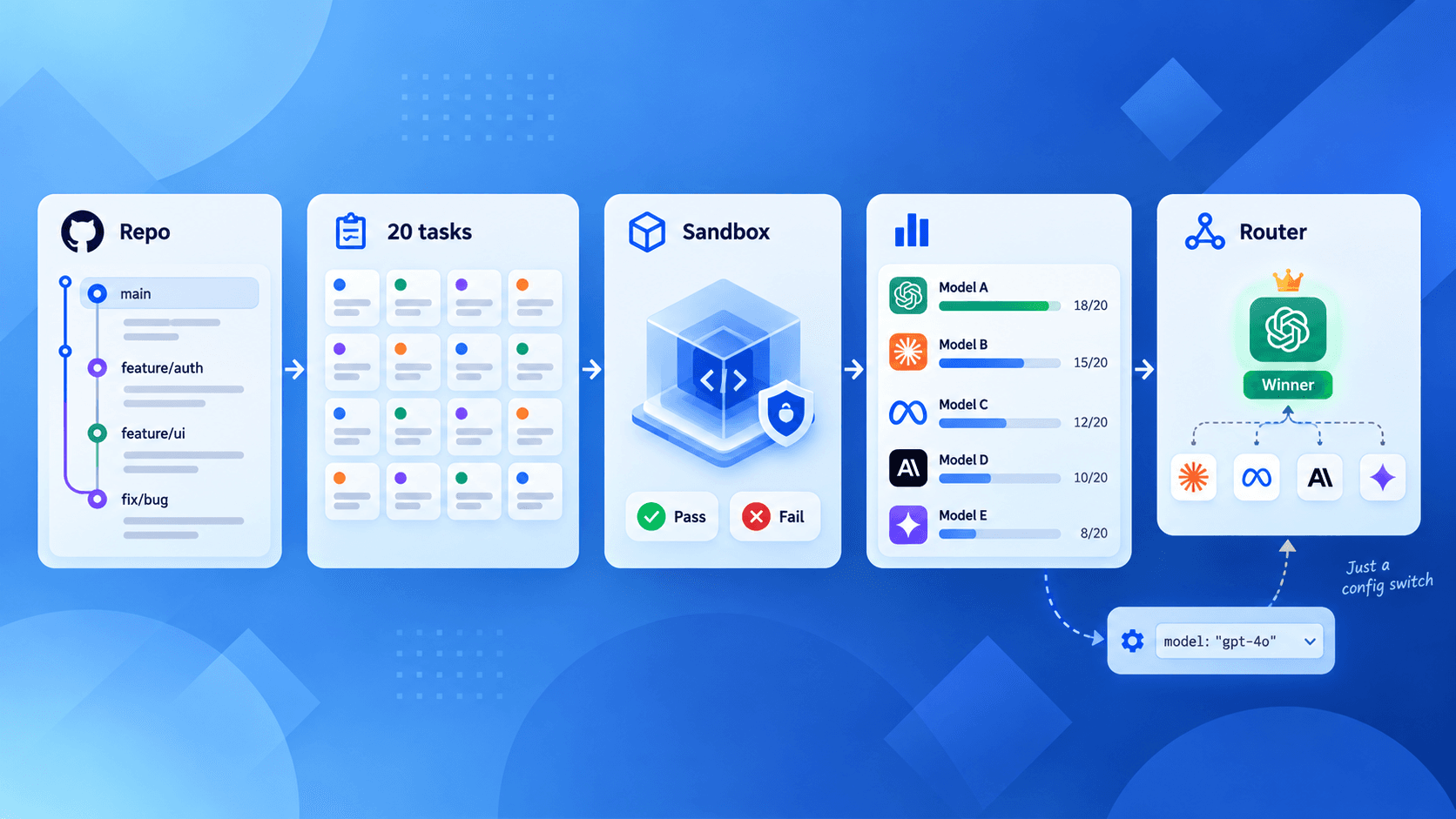
Sometimes you’ve done all this and the work still needs more than the plan gives. That’s the point to decide between usage credits, a higher plan, or moving the heaviest jobs to an API key with a budget. That calculation is easier with a number from your own work, such as the cost of a typical task, and a small eval on your own repository gives you one. It also tells you whether a cheaper model handles your routine tasks well enough. That’s the same idea as routing easy requests to a cheaper model, applied inside your editor.
Start next week with /usage and press w. Fix whatever has the largest share, which is usually subagents or one long session, and check again on Friday. Change one thing at a time, so you know which change gave you the week back.