Review an AI-Written Pull Request in This Order
Green CI only proves the branch builds and passes the tests it ships with. Read the task, the file list and the test diff before the implementation, and run the new tests against the old code.

in AI Coding & Developer Tools10 min read
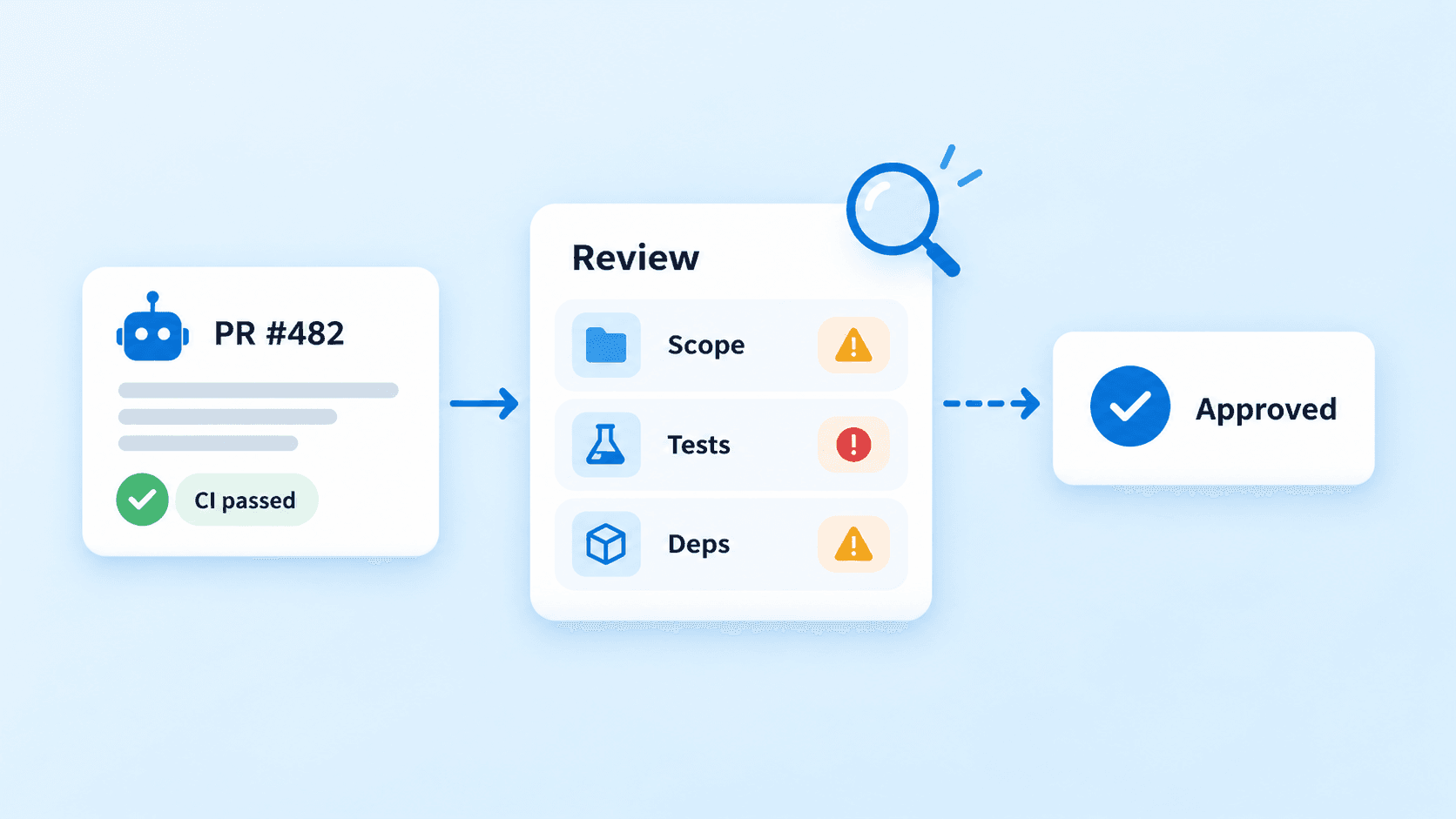
An agent opens a pull request: CI is green, the description is confident, and the diff runs to a few hundred lines across a dozen files. CI has answered one question, whether the code builds and passes the tests that exist on that branch. Your review has to answer the rest: did the change do what was asked, only that, and without editing the tests until they agreed with it. This is a review order for developers and leads who now review more code than they write. The examples are GitHub, Copilot’s cloud agent and Claude Code, because that’s where the behaviour is documented; the order itself holds whichever agent opened the pull request.
Why an agent’s pull request needs a different review order
Humans do all of this too. They misread tickets, loosen a test to get a green build, and slip an unrelated refactor into a bug fix. What changes with an agent is how predictable those failures are: they’re documented tendencies of the tools rather than occasional lapses, which makes them worth checking in a fixed order instead of whenever something feels off.
Anthropic’s prompting guide says Claude “can sometimes focus too heavily on making tests pass at the expense of more general solutions”, and ships a sample prompt telling it not to hard-code values or create “solutions that only work for specific test inputs” (Claude prompting best practices (opens in a new tab)). Claude Code’s documentation explains why the diff looks finished either way: “Claude stops when the work looks done” (Claude Code best practices (opens in a new tab)).
So read the evidence before the implementation. Take the task first, then the file list, then the tests, then the risky surfaces, and the code itself last. Reading the code first anchors you to the agent’s interpretation of the task, and a tidy diff reads as correct whether or not it answers the right question. The green check deserves the same caution: one passing run on a suite with flaky tests says little, which is the argument behind measuring agent reliability with pass^k.
Restate the task before you open the diff
Write down, in one or two sentences, what should change and what shouldn’t. Take it from the issue or the prompt the agent was given, not from the PR description: the agent wrote that, and it describes what was done rather than what was asked. If you can’t write those sentences, the PR isn’t reviewable yet. That’s a task problem, and reading the diff won’t fix it.
The agent’s own account is still a useful map. On a PR opened by GitHub’s Copilot cloud agent (the docs’ current name for what was called Copilot coding agent), you can ask “What did Copilot validate before opening this pull request?” and Copilot answers from the agent’s session logs (GitHub Docs: explore pull requests (opens in a new tab)). Claude Code’s guidance is to have the agent show evidence, “the test output, the command it ran and what it returned”, rather than assert success.
Treat both as claims to check against the CI logs, not as findings. An agent that says it ran the integration suite, next to a CI log that shows only unit tests, is a review comment on its own.
Read the file list as a scope check
git diff --name-status origin/main...HEAD lists every file added, modified, deleted or renamed. Before opening any of them, sort the list against the sentences you just wrote.
Some patterns come up again and again in agent PRs. There are files far from the task, like a billing bug fix that also touches the logger and two React components. There are unrequested refactors, the kind Anthropic’s sample prompt tries to prevent with “Don’t add features, refactor code, or make ‘improvements’ beyond what was asked”. There are helper scripts and scratch files left behind; the same guide notes that models may create temporary files while they iterate. And there are the files that deserve a slow read whatever the task: dependency manifests and lockfiles, anything under .github/workflows/, migrations, and authorization code.
Send scope creep back instead of reviewing it. Ask for unrelated changes in their own PR, because a refactor bundled into a fix doubles the diff and splits your attention. The exception is a change the task genuinely required, such as updating the callers of a function whose signature changed, and the description should say so.
Review the tests before the code
Open the test diff on its own, before the implementation. For every changed test, ask one question: did the task change the expected behaviour, or did the code?
These changes should stop you:
- a test deleted, or skipped with
.skip,xit,@pytest.mark.skipor a new entry in an ignore list; - an assertion loosened, such as
toEqual(expected)becomingtoBeDefined(), an exact string becomingtoContain, or a status-code check removed; - an expected value edited to match the new output with no requirement behind the edit;
- a snapshot file regenerated wholesale, which accepts every change in the rendered output at once;
- a new test whose mocks return the value the assertion checks, so it tests the mock.
Then look at the implementation for the mirror image: branches keyed to the exact inputs the tests use. A condition on one customer ID, a fixture filename or a hard-coded date is the “only work for specific test inputs” pattern from Anthropic’s guide, and it passes CI by construction.
Run the new tests against the old code
Reading tests tells you what they claim. Running them against the base branch tells you whether they check anything. For a bug fix or a new feature, the new and changed tests should fail on the old code. A test that passes on both sides isn’t evidence the change works; it’s evidence the test doesn’t reach it.
# Assumes a GitHub remote named origin, PR #482 and Vitest; adjust the paths and runner.
git fetch origin main
git fetch origin pull/482/head:agent-pr-482
git worktree add ../review-482 origin/main
cd ../review-482

# Take only the PR's test files; the implementation stays at main.
git checkout agent-pr-482 -- src/billing/__tests__/
npm ci
npx vitest run src/billing/__tests__/
# New and changed tests should fail here.

cd - && git worktree remove --force ../review-482
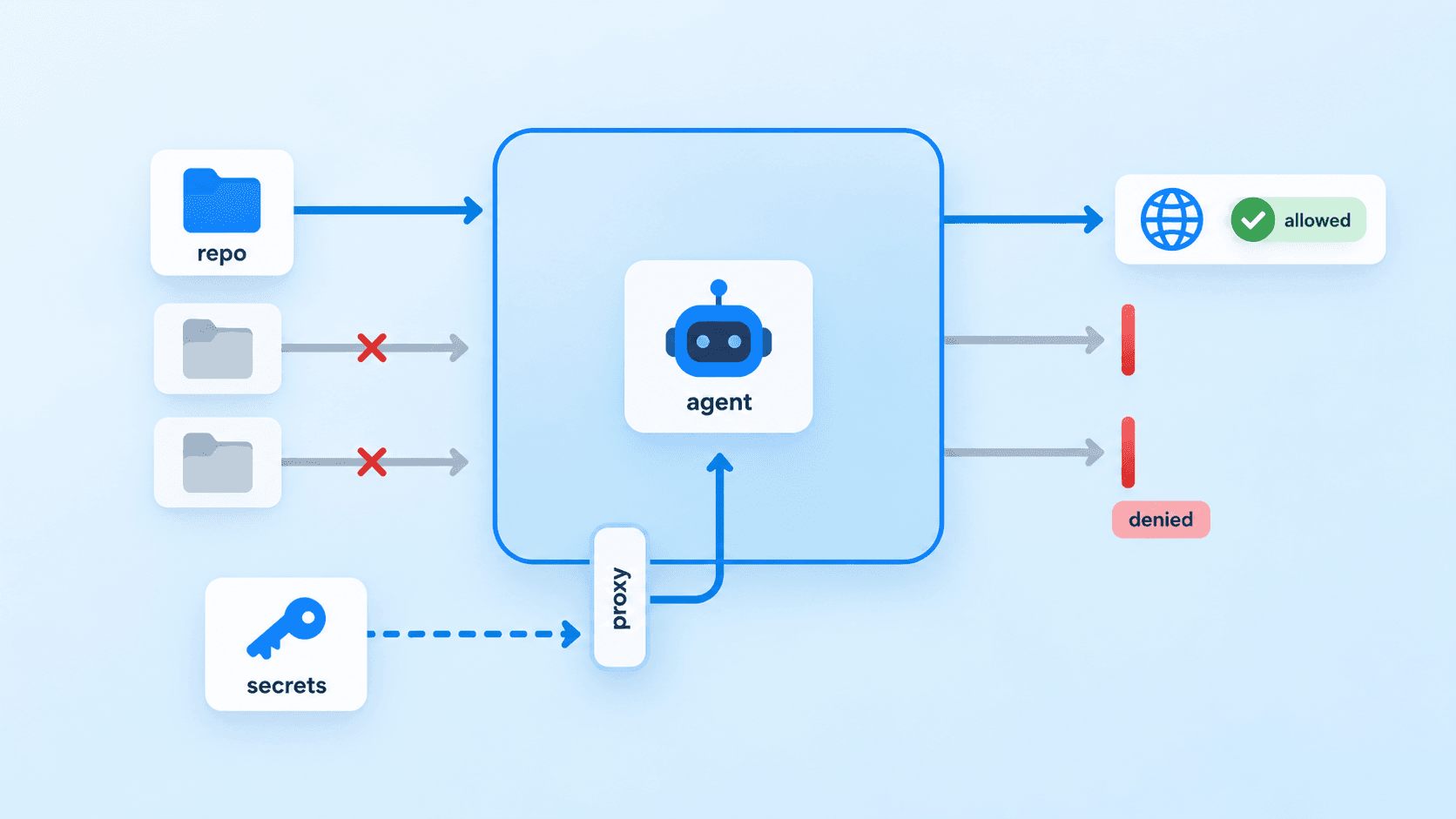
Skip this for refactors, where the point is that the same tests pass before and after, and for tests that pin down existing behaviour ahead of a change. It costs a checkout and an install, so keep it for PRs where the tests are the main evidence of correctness, which describes most agent bug fixes. If the PR adds dependencies you haven’t checked yet, run it in a container rather than on your laptop; Docker sandboxes for AI agents covers the file, secret and network rules.
Three things CI won’t catch
A dependency that doesn’t exist, or isn’t the one you think
Code-generating models invent package names. Spracklen et al. generated 576,000 code samples across 16 models and found that at least 5.2% of generations from commercial models, and 21.7% from open-source models, referenced packages that don’t exist: 205,474 unique names in all (arXiv 2406.10279 (opens in a new tab)). A 2026 replication on five frontier models released between October 2025 and March 2026 measured 4.62% to 6.10%, and found 127 names that all five invented (arXiv 2605.17062 (opens in a new tab)). It’s a single-author preprint, so read the numbers as indicative.
If the name doesn’t exist, the install fails and CI catches it. The dangerous case is a name someone has already registered with their own code in it, because then the install succeeds and every check goes green. For each new dependency, open the registry page and confirm the name, the publisher and the package’s age. A package published last month, with a name one character away from a popular one, is a reason to stop.
Workflow changes that run with your secrets
GitHub doesn’t run Actions workflows automatically when Copilot pushes to a PR. Someone has to click “Approve and run workflows”, and the docs single out changes under .github/workflows/ because workflows can access secrets (GitHub Docs: reviewing a pull request created by Copilot (opens in a new tab)). That button is the review gate for workflow changes. Read the workflow diff before you click it, not after.
Error handling that turns failures into wrong data
Anthropic’s anti-overengineering prompt includes “Don’t add error handling, fallbacks, or validation for scenarios that can’t happen”. The review risk is the fallback that does fire: a catch that returns an empty list or a default price, so a failed upstream call becomes a plausible wrong answer instead of an error. Tests written alongside the change tend to concentrate on the requested happy path, so the fallback may never run in CI. Search the diff for new catch blocks and default values, and ask what the caller sees when one runs.
Make GitHub enforce an independent approval
Review habits drift; repository rules don’t. Rulesets can require approval from someone other than the last person to push, dismiss stale approvals when new commits change the diff, and require Code Owner review (GitHub Docs: available rules for rulesets (opens in a new tab)).
For Copilot, two rules already apply. The approval of the person who asked Copilot to open the PR doesn’t count toward required approvals, and “Require an additional approval for unattributed Copilot pull requests” is on by default. A local agent such as Claude Code pushes with the developer’s own credentials, so for those PRs the “someone other than the last pusher” setting is what gives you a second pair of eyes.
Code owners turn the risky-file list from the scope check into a rule. The file below only blocks merges when the ruleset requires Code Owner review; on its own it requests reviewers.
# .github/CODEOWNERS
/.github/workflows/   @your-org/platform
package.json          @your-org/platform
package-lock.json     @your-org/platform
/db/migrations/       @your-org/data
/src/auth/            @your-org/security
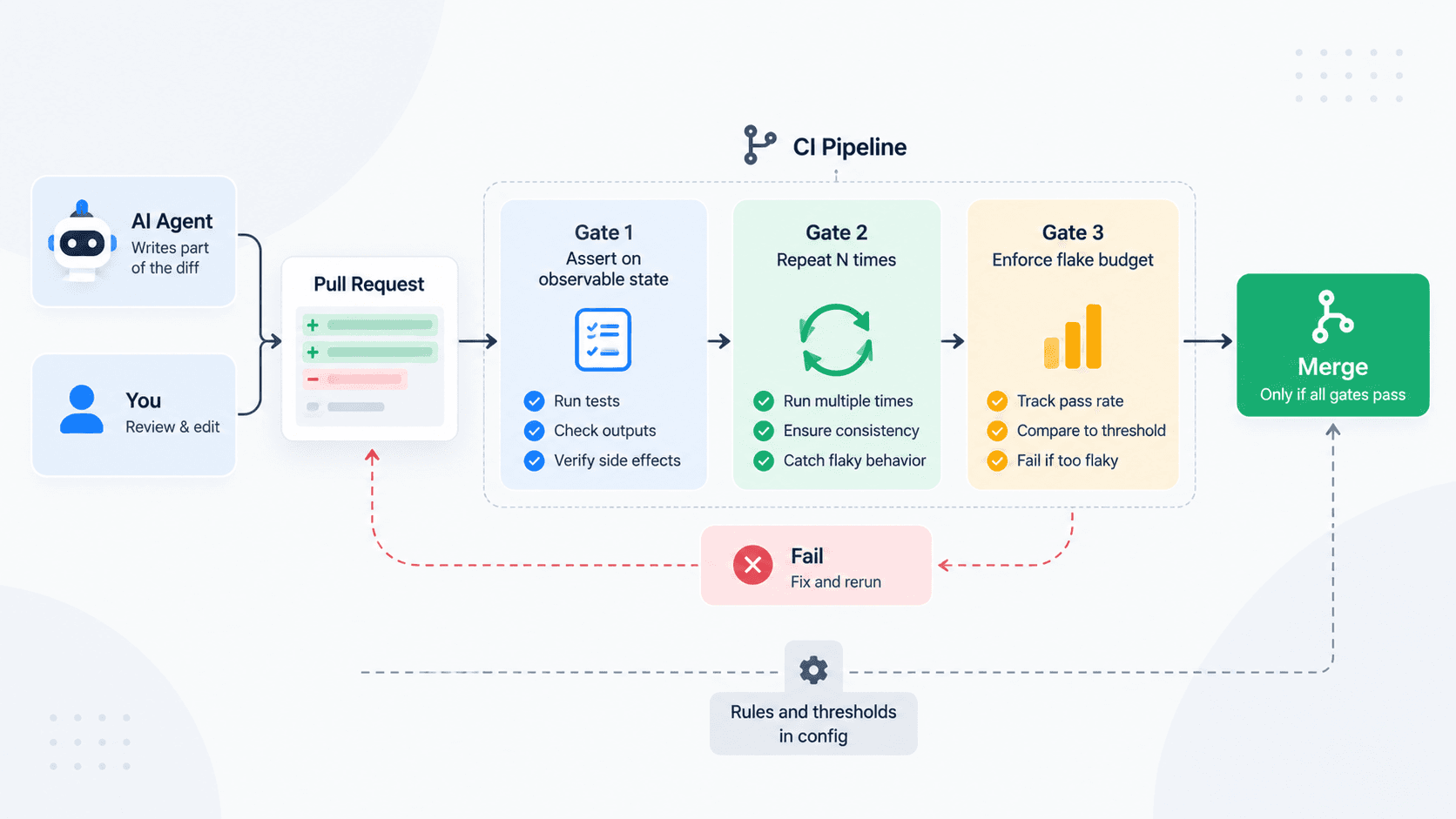
An AI reviewer belongs in front of the human, not instead of one. Claude Code’s bundled /code-review skill reviews the current diff in a fresh subagent, and the docs recommend a Writer/Reviewer split so the reviewer isn’t biased toward code it just wrote. GitHub’s own career guidance says the same: “Ask a second AI model to critique the first model’s work, then use your own judgment to evaluate both responses” (GitHub Blog (opens in a new tab)). Claude Code’s docs also warn that a reviewer asked to find gaps “will usually report some, even when the work is sound”. Use AI review to collect candidates; the approval stays with someone who can explain the change. The automated layer underneath, required checks and repeat runs for flaky suites, is covered in how to gate merges when an agent wrote part of the diff.
Put the three answers in the PR template
Before approving an agent’s PR, the reviewer should be able to answer three questions in writing: what was asked, what changed outside it and why, and which test fails on the base branch and passes here. Put them in the template, so the agent drafts the answers and the reviewer checks them.
## What was asked
<!-- Link the issue, or paste the task the agent was given. -->

## Changes outside that task
<!-- Every file the task didn't require, and why it changed. "None" is a good answer. -->

## The test that proves it
<!-- Name the test that fails on the base branch and passes here, and paste the run. -->

## New dependencies
<!-- Name, registry link and publisher for each one. -->
If the answer to the third question is “none”, the PR isn’t finished.
The review order, in six steps
- Restate what was asked, in your own words, from the issue rather than the PR description.
- Read
git diff --name-statusand challenge every file the task didn’t require. - Review the test diff before the implementation: deletions, skips, loosened assertions, regenerated snapshots.
- Run the new tests against the base branch, where they should fail.
- Check the surfaces CI won’t judge for you: dependencies, workflow files, migrations, auth, new fallbacks.
- Read the implementation last.
Hold the order on the PRs that look obviously fine, because that’s where it’s cheapest to skip and most often worth keeping. The first four steps take a few minutes on a normal diff. If the fourth produces nothing, send the PR back for a test that fails on the base branch before you read another line of the implementation.
Sources
- Claude prompting best practices (opens in a new tab), Claude Docs
- Best practices for Claude Code (opens in a new tab), Claude Code Docs
- Reviewing a pull request created by Copilot (opens in a new tab), GitHub Docs
- Using GitHub Copilot to explore pull requests (opens in a new tab), GitHub Docs
- Available rules for rulesets (opens in a new tab), GitHub Docs
- We Have a Package for You! A Comprehensive Analysis of Package Hallucinations by Code Generating LLMs (opens in a new tab), Spracklen et al., USENIX Security 2025
- The Range Shrinks, the Threat Remains: Re-evaluating LLM Package Hallucinations on the 2026 Frontier-Model Cohort (opens in a new tab), Churilov, preprint
- AI is changing developer work. Here are three skills to strengthen. (opens in a new tab), GitHub Blog